pHash というのは、ざっくり言うと画像の概要をハッシュ化したものです。
似た画像は似たハッシュ値になります。
pHashの説明については
https://yabaiwebyasan.com/blog/2018-12-04-how-to-create-image-match-tool/
https://tech.unifa-e.com/entry/2017/11/27/111546
ここら辺が参考になりました。
で、このpHashを計算してくれるpythonライブラリが imagehash です。
たとえば、
| circle.png | square.png | hexagon.png | decagon.png |
|---|---|---|---|

|

|
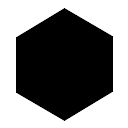
|
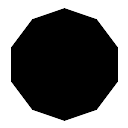
|
という画像があった場合に、circle.pngに近い画像をphashの近さを使って求めるなら
from PIL import Image
import imagehash

def diff(img1, img2):
    hash1 = imagehash.phash(Image.open(img1))
    hash2 = imagehash.phash(Image.open(img2))
    return hash1 - hash2

for target in ['circle.png', 'square.png', 'hexagon.png', 'decagon.png']:
    print('%s=%s' % (target, diff('circle.png', target)))
$ python diff.py
circle.png=0
square.png=32
hexagon.png=14
decagon.png=8
こんな感じでdecagonが一番近いことがわかります。(差が小さい方が似ている画像です。0は完全一致)
便利ですね。